
How to Import an A2Z Font
- Download the file from OESD.com. Be sure to download all available formats.

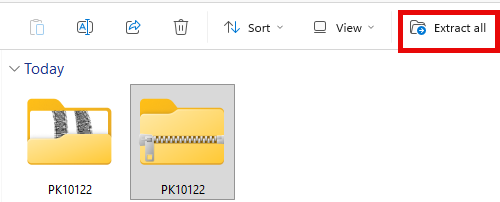
- Extract (unzip) the downloaded file.
- Open bernette Software.
- Click File on the menu bar. (see 1 below)
- Select Import A2Z Font. (see 2 below)

- Browse to the unzipped folder.
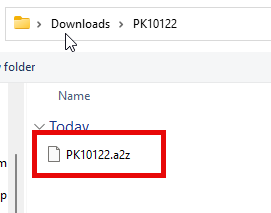
- Select the file with the
.a2zextension.
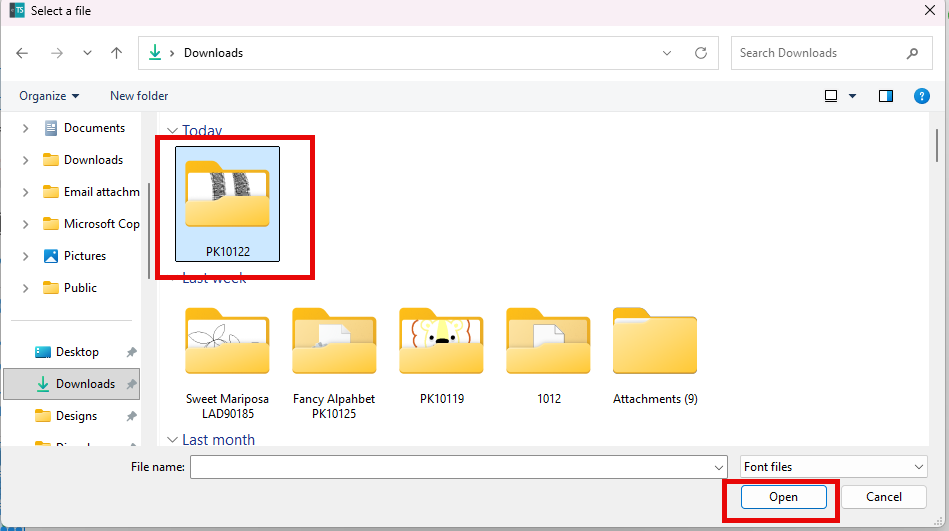
- Click Open.
- Wait for the confirmation message: Done!
Your font is now added to the font library. Look for the font name or file name (e.g., PK10122) in the font list.