Favorites Menu - Adding Features
Add Features to the Favorites Ribbon
- Click the Favorites tab at the top of the workspace.
- Click Favorites.

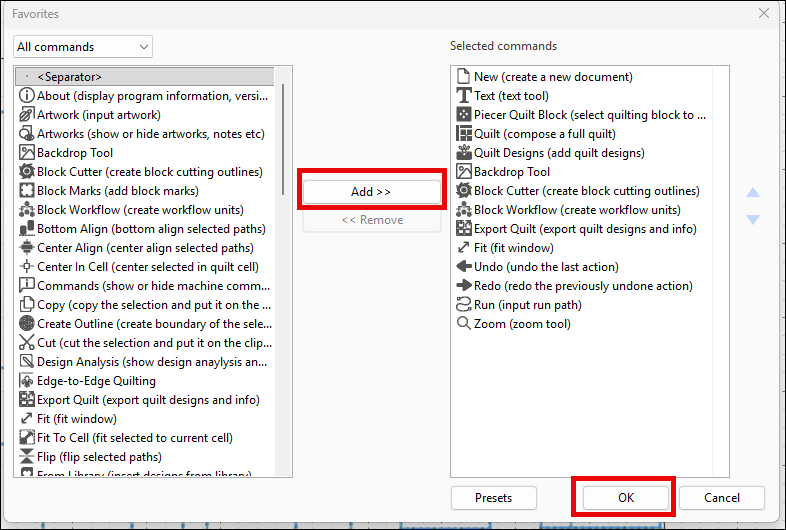
- The Favorites window opens. The list on the left displays all available commands.
- To add a command to your Favorites ribbon, select the command and click Add >>.
- Repeat for any additional commands you want to add.
- Click OK to save your changes.