Cut File Creation
My Quilting Studio Pro can create an SVG or FCM file to cut your block pieces on a digital cutter.
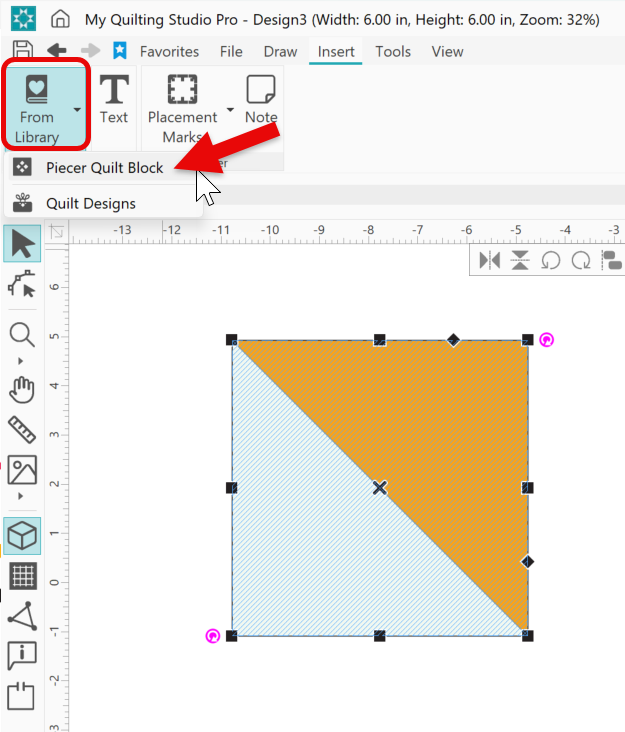
Select a block form the a block library. Go to Insert tab > From Library > Piecer Quilt Blocks
Make sure the block is selected.
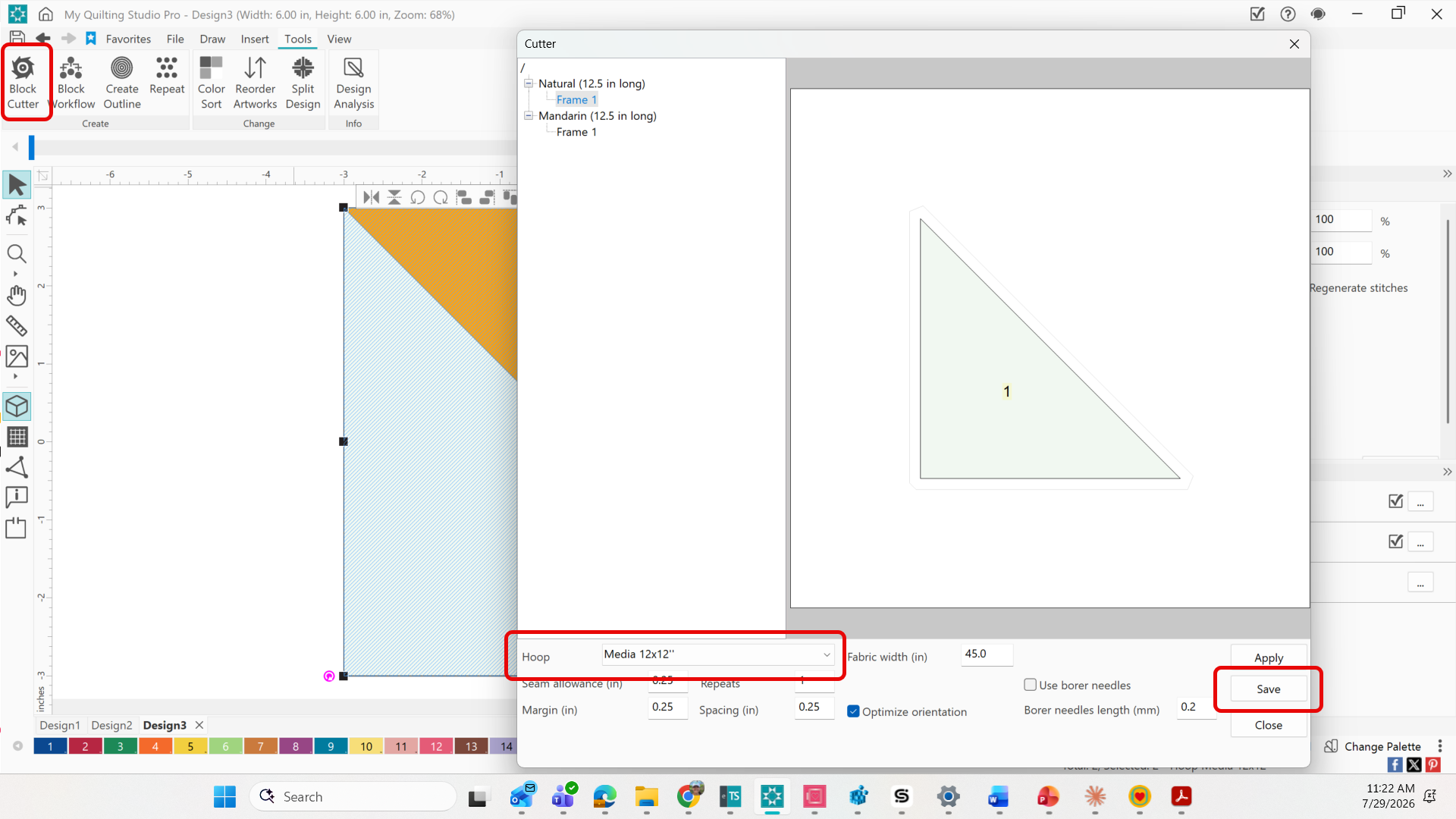
Select Tool > Block Cutter Icon
Make sure that you have the correct cutitng mat chosen.
Click Save
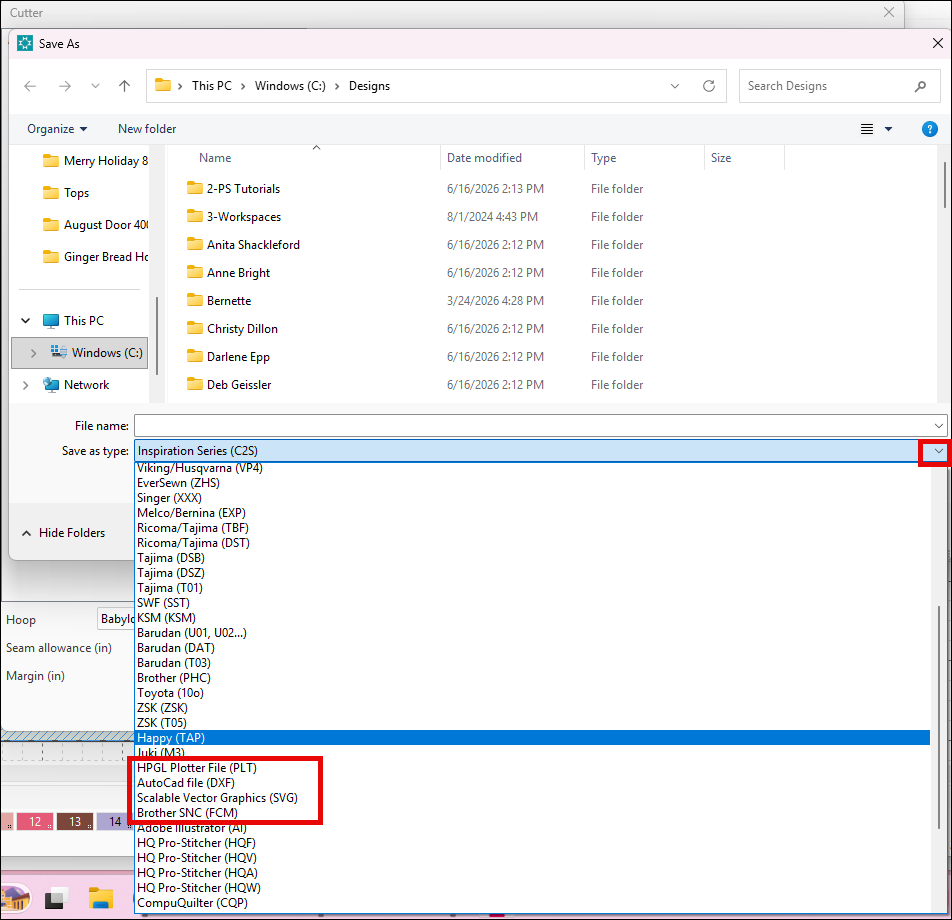
Click dropdown for Save as type:
Choose the format for your digital cutter.
Choose location to save
Give the file a name.
Once saved, this file can be transferred to your digital cutter to cut your quilt block pieces.