How to Activate Amelie Scott Designs Edge to Edge Plug-in for My Quilting Studio
When you install My Quilting Studio, the software automatically checks your computer for an existing Amelie Scott Designs Edge-to-Edge Plug-in. If one is found, it is automatically activated within My Quilting Studio—no reinstallation or re-registration is required.
You can also activate your Edge-to-Edge Plug-in in My Quilting Studio:
- Open My Quilting Studio.
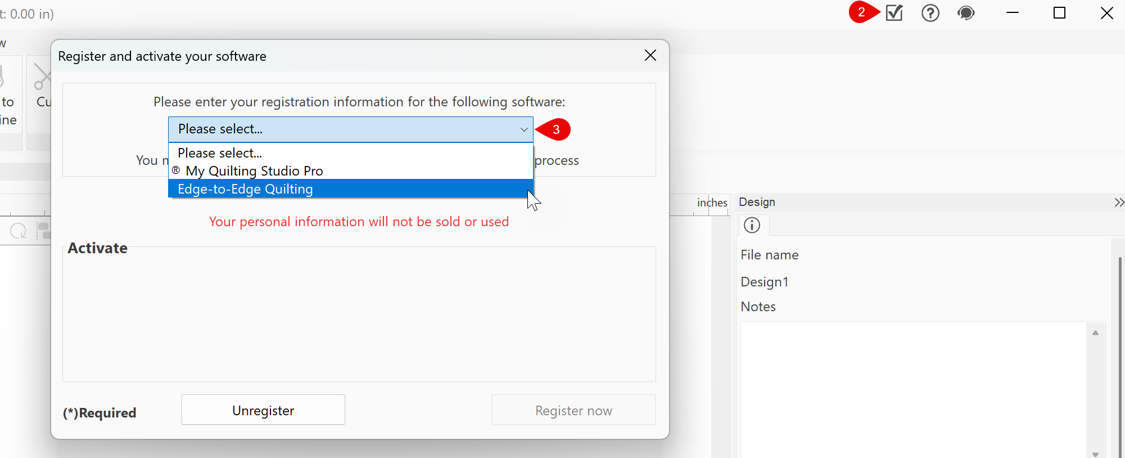
- Click the ✓ (checkmark) in the upper-right corner of the workspace (just to the left of the Close (X) button).
- Select Edge-to-Edge Plug-in from the drop-down menu.
-
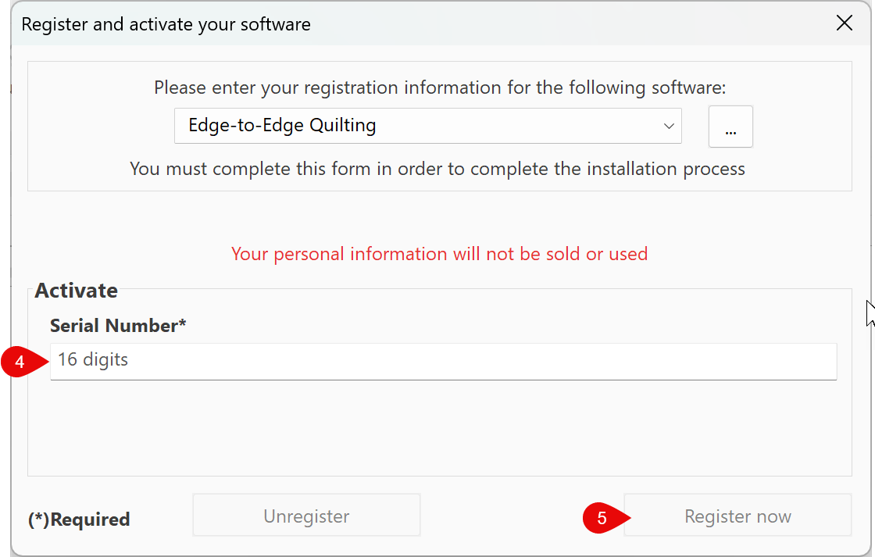
- Enter your Edge-to-Edge Plug-in serial number to activate.
- Click “Register Now”
-