Software Updates - My Quilting Studio
What’s New in My Quilting Studio
---------------------------------------------------------------------------------------------------------
Version 26.72, release date: 09/16/2026
---------------------------------------------------------------------------------------------------------
Base Software Updates
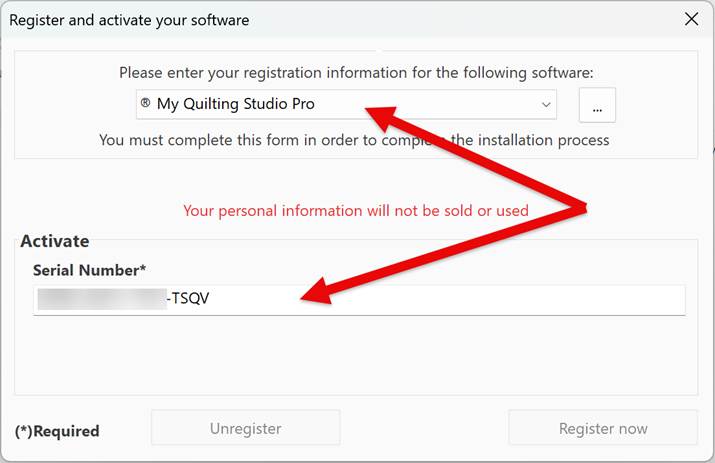
1. We have implemented the Auto Select when putting your serial number in the Activation window. You no longer have to select a Title — just enter the Serial Number.
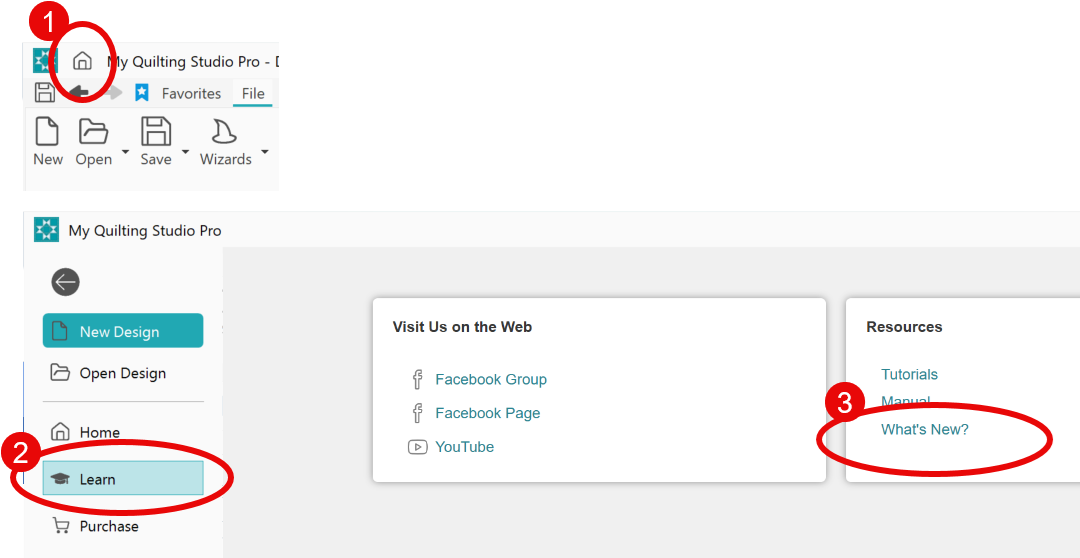
2. Updated the Home page to include a new link under Resources called What’s New. Here you will find the changes made in each newly released version.
3. Updated Exquisite thread charts: more accurate color representation on screen
a. Exquisite Thread 40.thr
b. Exquisite Thread 60.thr
c. Exquisite Spring Thread Kit, 24pk-P2050-24.thr
d. Exquisite Skin Tones-FTT001.thr
e. Exquisite Medley.thr
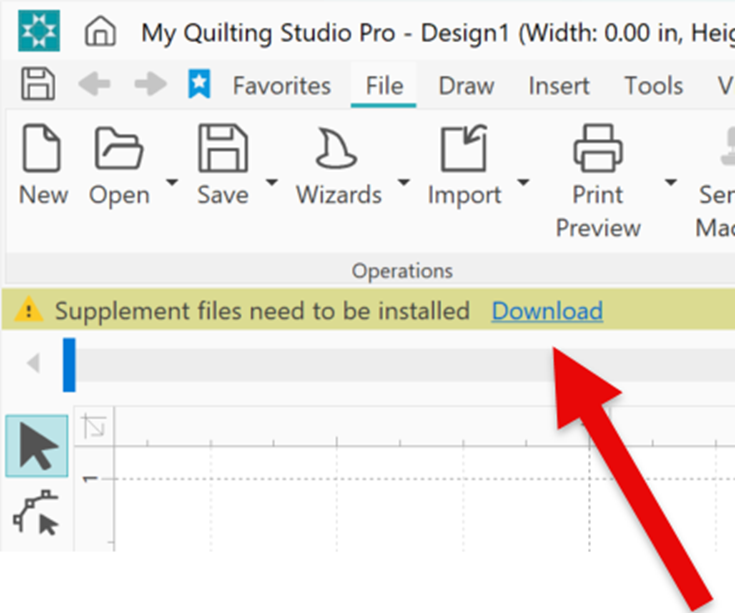
4. New SUPPLEMENTAL files added (more quilt labels and miniature charm designs). Be sure to click the link to download them.
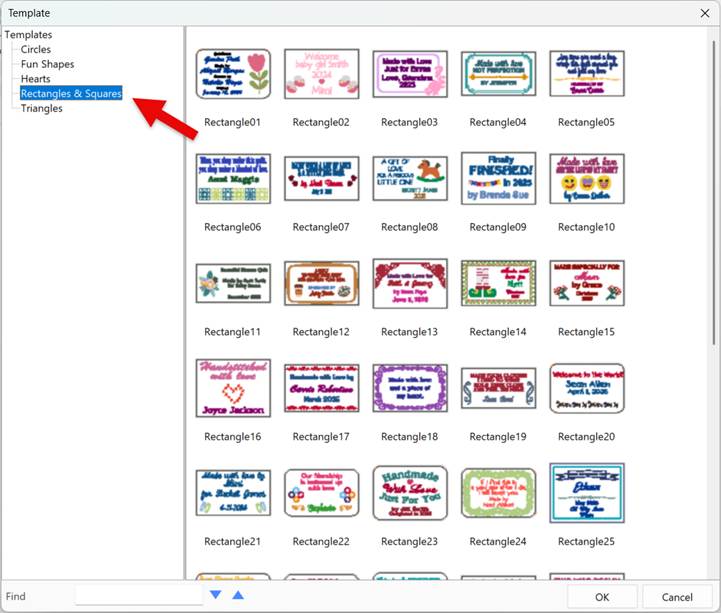
a. New Quilt Labels, now categorized into 5 categories, currently totaling 90.
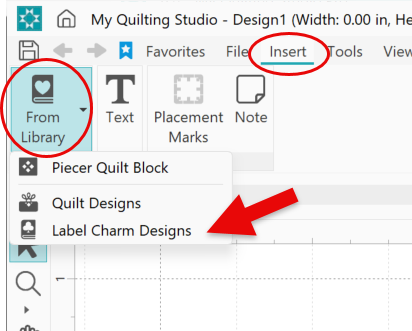
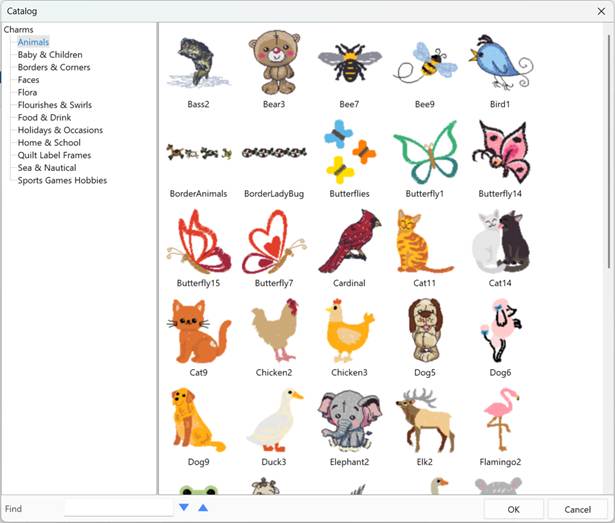
b. New Charms to use in the Label Wizard and for general use. Access in the Label Wizard or Insert tab under “From Library” drop-down.
5. Quilt Label Wizard:
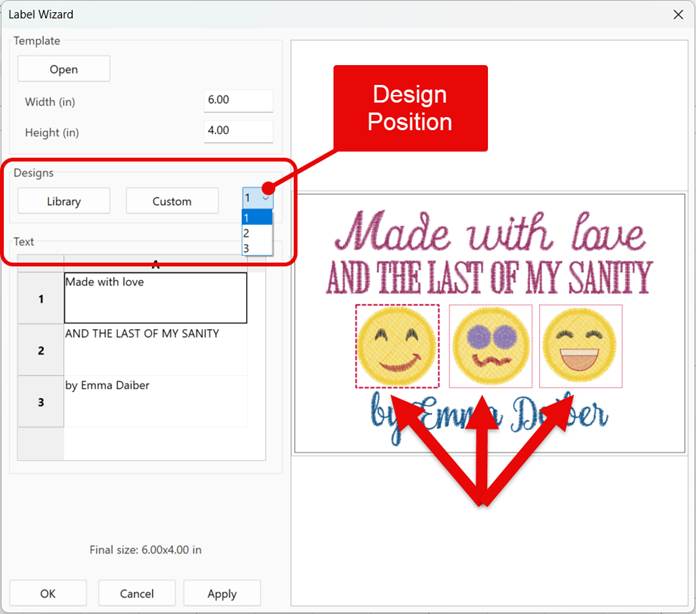
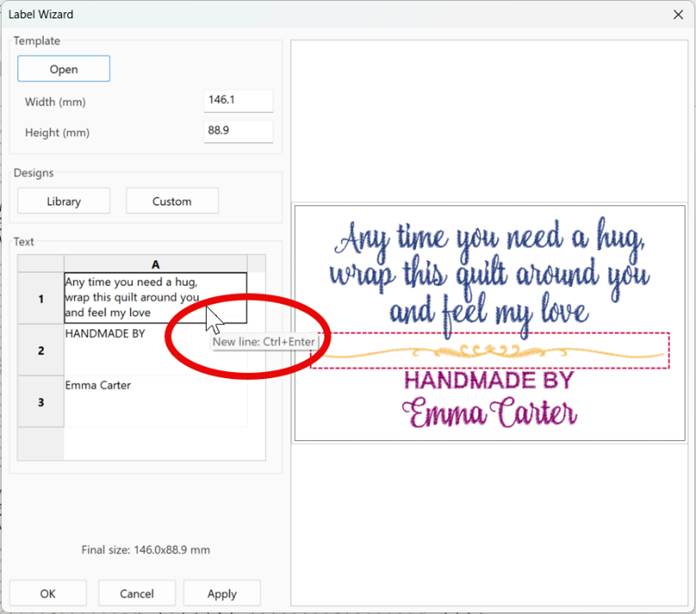
a. We have redesigned the Quilt Label Wizard to allow you to change the embroidery design that is indicated with a red line around it. To use, click on the design that you want to change (or choose the design position from the drop-down list). The selected design will have a highlighted red dashed line. Then click the Library button to open the built-in Charms (miniature embroidery designs), or click the Custom button to locate a design on your computer in your personal files. NOTE: We recommend using miniature embroidery designs such as the built-in Charms.
b. Added a tooltip on how to enter multi-line text.
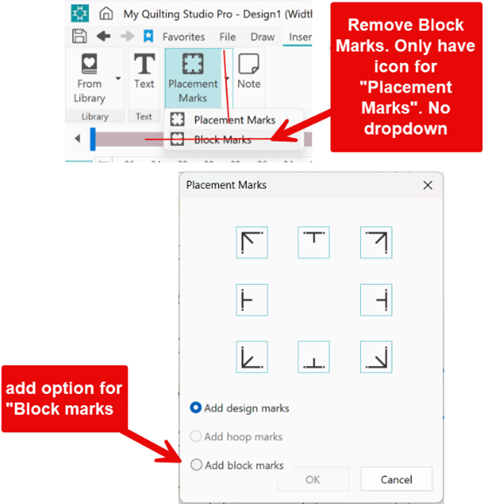
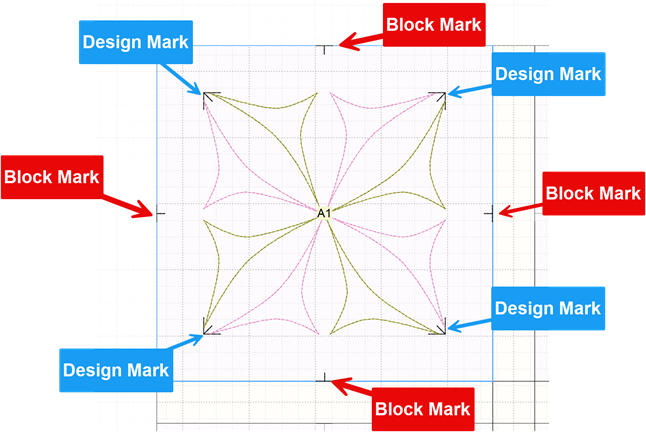
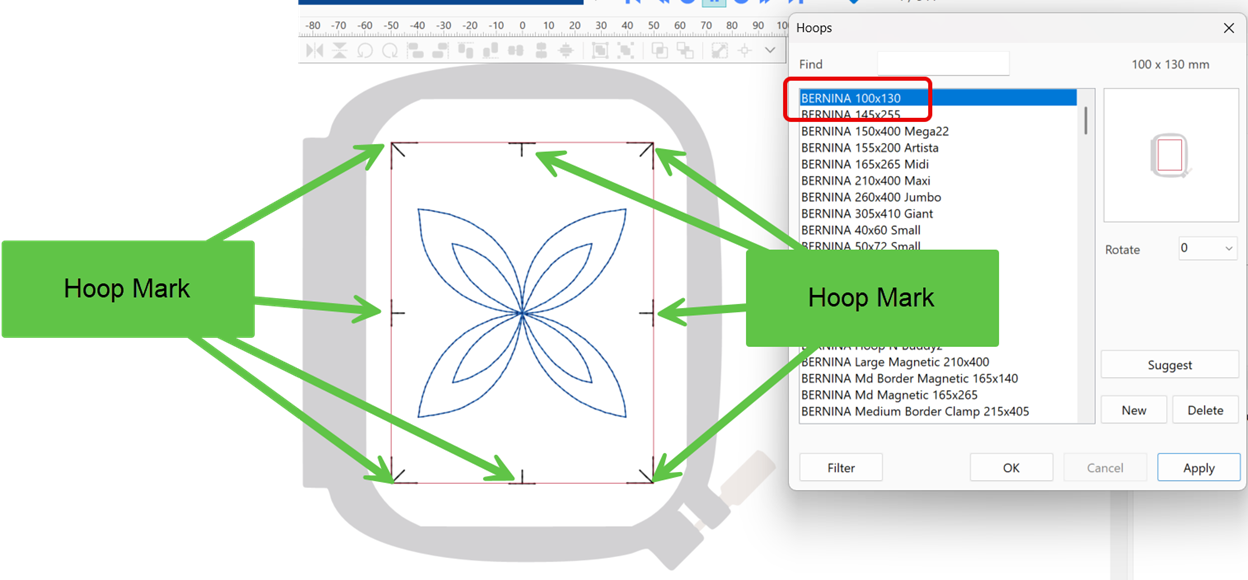
6. Placement/Block Marks: Removed the option for Block Marks; all options are now under one Placement Marks pop-up box. Block Marks outline the block in the Quilt Layout option, Design Marks outline the design, and Hoop Marks outline the embroidery field of the selected hoop.
7. Changed the Antero font color to the same color as all the other fonts.

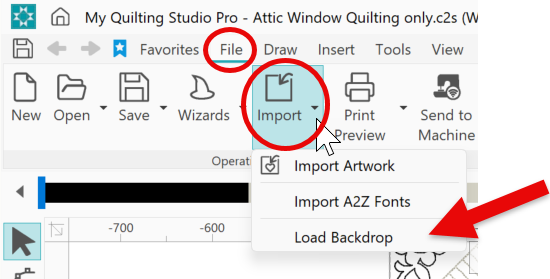
8. Added the Load Backdrop feature under the Import drop-down.
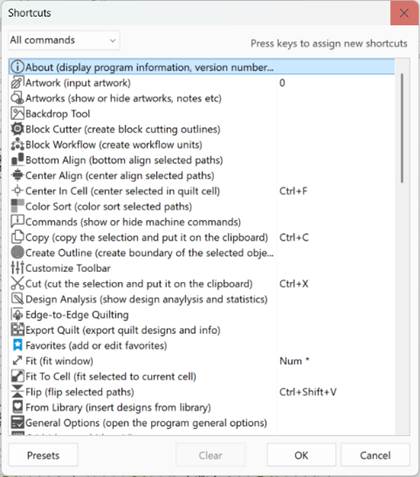
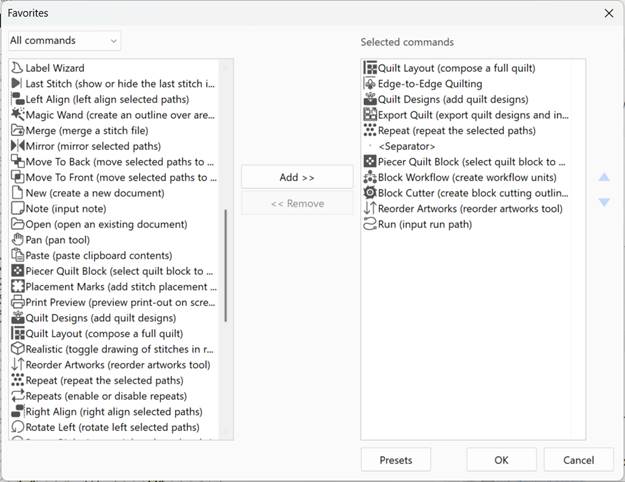
10. Favorites & Shortcuts:
a. Updated several descriptions and icons
b. Added Save As
c. Added Merge
PRO Upgrade – Optional Add-On Software
The following features are part of the PRO upgrade, an optional add-on purchase. They are NOT included in the base My Quilting Studio software.
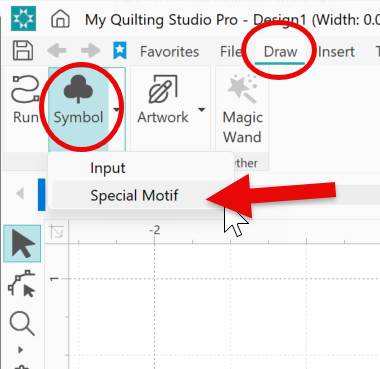
1. PRO Only – Added Special Motifs (aka crazy quilting stitches).
2. PRO Only – Shape Tool now has the ability to change the directions of Motif Fills and Adv. Stipple Fills.
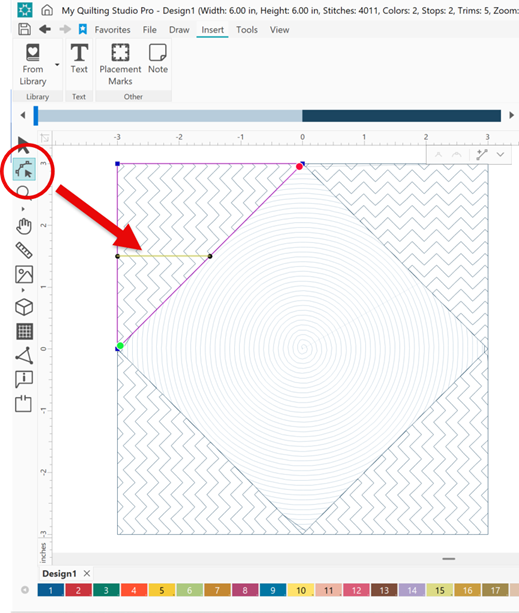
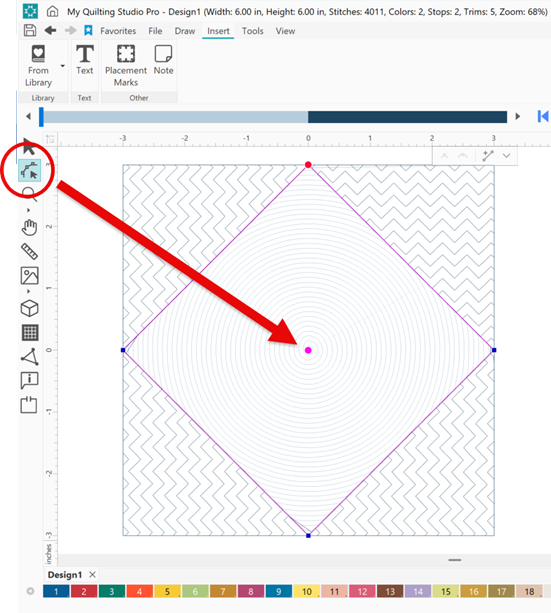
3. PRO Only – Shape Tool now has the ability to change the center location of the Shape Fill.